Parts Harvesting is the selective removal of reusable or high-value components (e.g. RAM, SSDs, CPUs) from devices for resale, refurbishment, or stockpiling - typically done with minimal disassembly and focused on maximum value recovery.
Demanufacturing is the systematic disassembly of entire devices into their constituent parts and materials (e.g. plastics, metals, circuit boards), often for recycling or compliant downstream processing - driven more by environmental or regulatory goals than direct resale value.
RecyclyERP allows you to handle both of these activities using our Parts Harvesting / Demanufacturing functionality.
You Do Not Need a Bill of Materials
A Bill of Materials (BoM) is optional. It is a starting list of the parts and materials you usually get out of an Asset Type, which RecyclyERP fills in for you when you break an item down. You can always add, change or remove lines, and without a BoM you simply type in what came out.
Set up BoMs for Asset Types you take apart often and in the same way. For mixed loads that are different every time, skip the BoM and see Processing a Mixed Load by Weight (opens in a new tab).
Defining Bills of Materials
Recycly already knows about the following standard ITAD components, so it is not necessary to define BoMs for these:
- CPUs
- Memory / RAM
- Storage Devices
It is common to remove other components from devices. For these you can optionally define Bills of Materials, so the list is filled in for you when you come to Parts Harvest / Demanufacture those items.
To maintain your BoMs, go to the Bills of Materials menu (you can search for it from the home screen, or find it under Inbound > Configuration > Asset Types & Services > Bills of Materials)
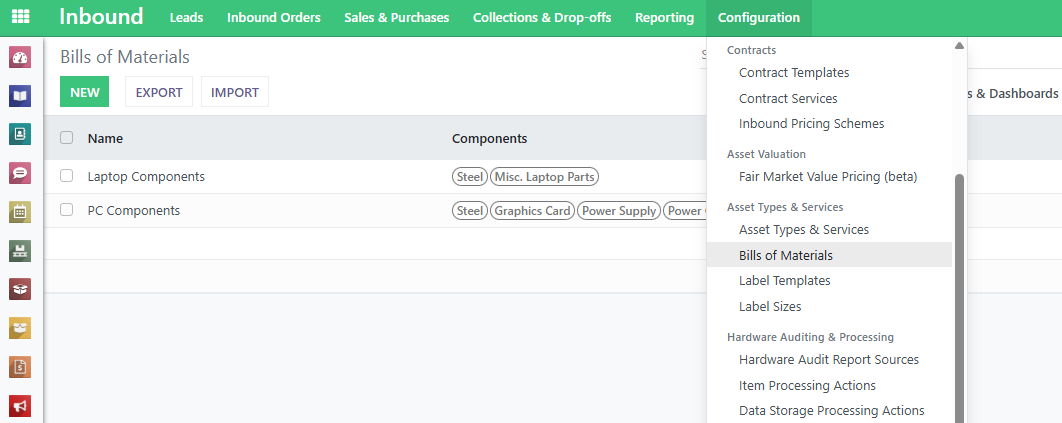
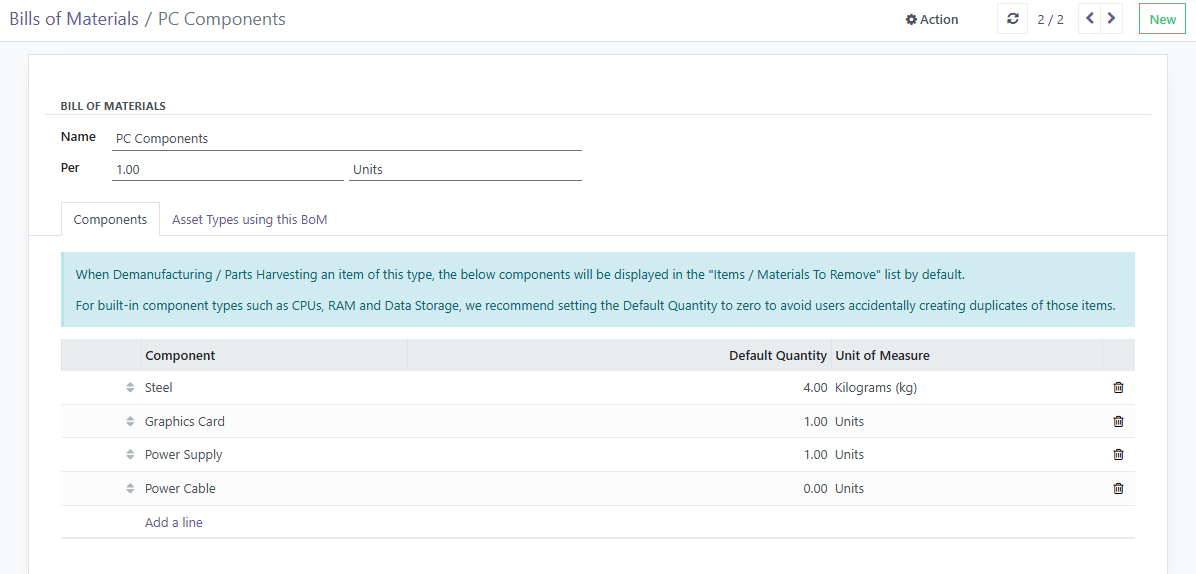
You can define a Bill of Materials for each asset type. One Bill of Materials can be shared between multiple asset types, if they have similar components.
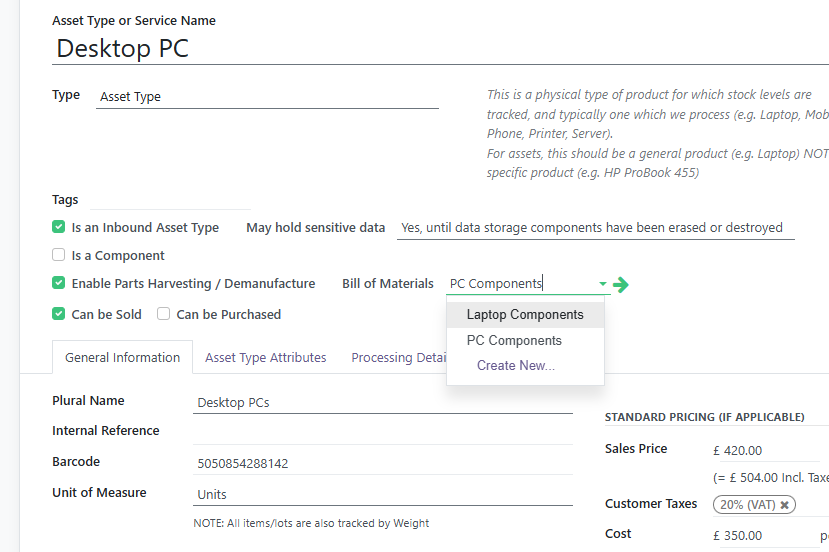
Assigning a Bill of Materials to Asset Types
To give an Asset Type a Bill of Materials, tick Enable Parts Harvesting / Demanufacture on the Asset Type and choose the Bill of Materials. The tickbox only reveals these settings: you can break any item down whether or not it is ticked.
IMPORTANT: the Asset Type and its Bill of Materials must be counted the same way - both in Units, or both by weight.
Parts Harvesting / Demanufacturing an Asset
Open the item or lot and click Demanufacture / Parts Harvest. This works on any item or lot in stock, with or without a Bill of Materials.
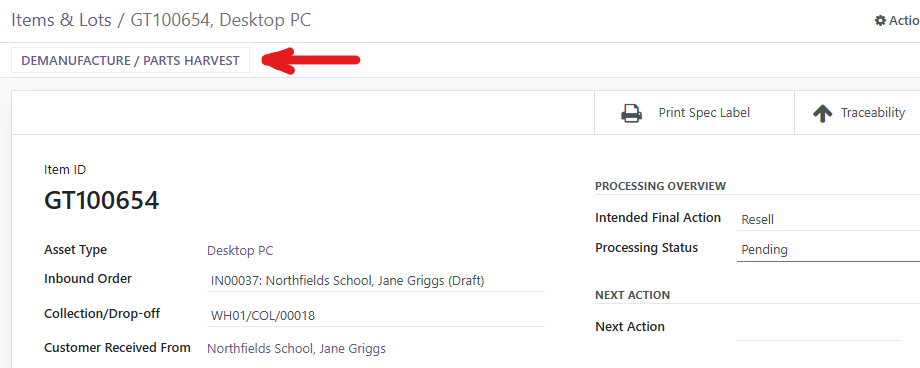
This opens the Demanufacture / Parts Harvest screen, where you record what you are removing from the device.
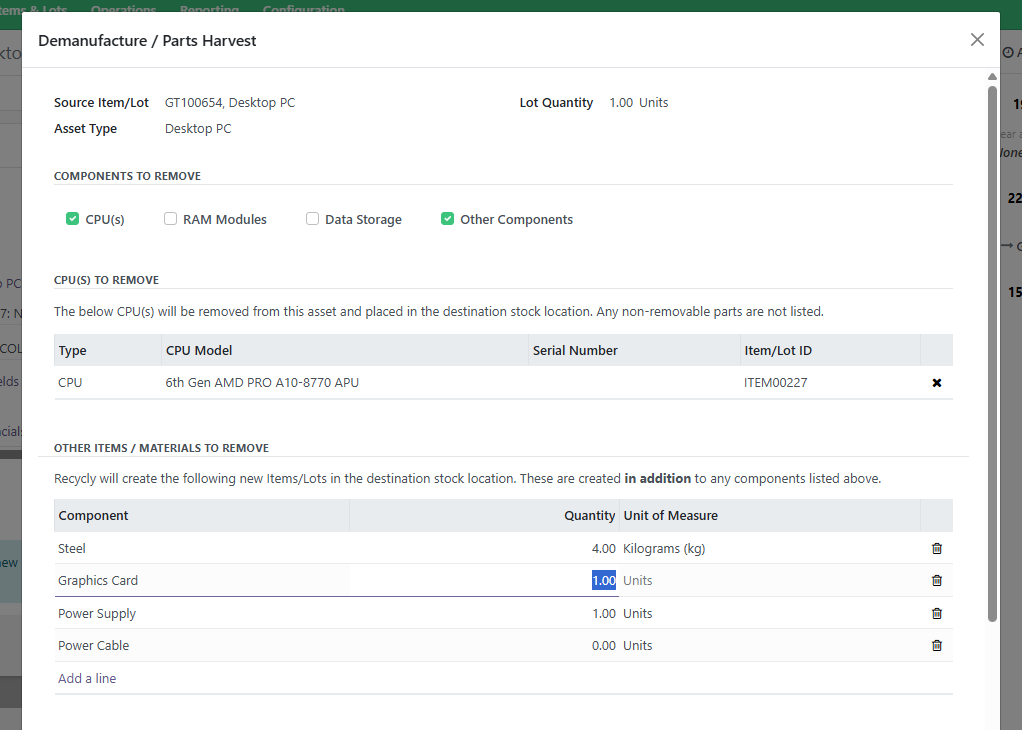
If the Asset Type has a Bill of Materials, the Other Items / Materials list starts with its components. Without one, the list starts empty.
Add, change or remove lines so the list shows what actually came out. A line counted in Units creates one separate item per unit, so record anything you weighed against an Asset Type counted in kg, with the weight as the quantity.
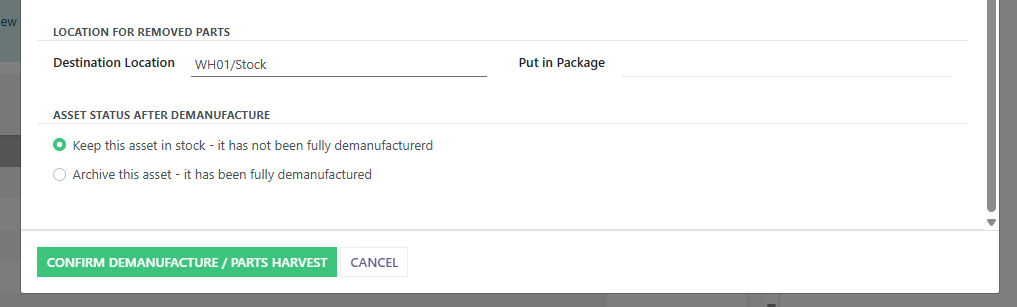
Finally you need to select the location where the removed materials / parts will be placed, and also choose whether to:
- Keep the original asset in stock - i.e. the device itself has not been fully demanufactured, so should still be considered as being in your inventory
- Archive the original asset - i.e. the device has been fully demanufactured, and so should now be considered removed from your inventory
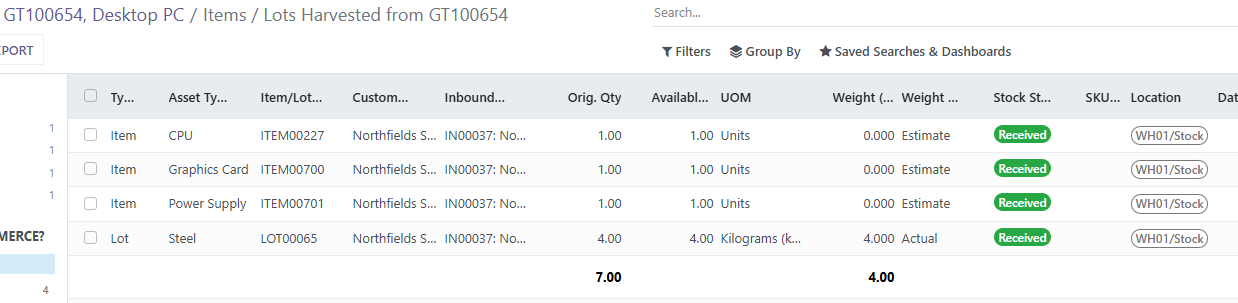
Once the demanufacture has been completed, you will be shown the list of assets that have been removed, so they can be further processed.